
Point-of-sale software
Take payment at the counter. Count the till in the evening, with no surprises.
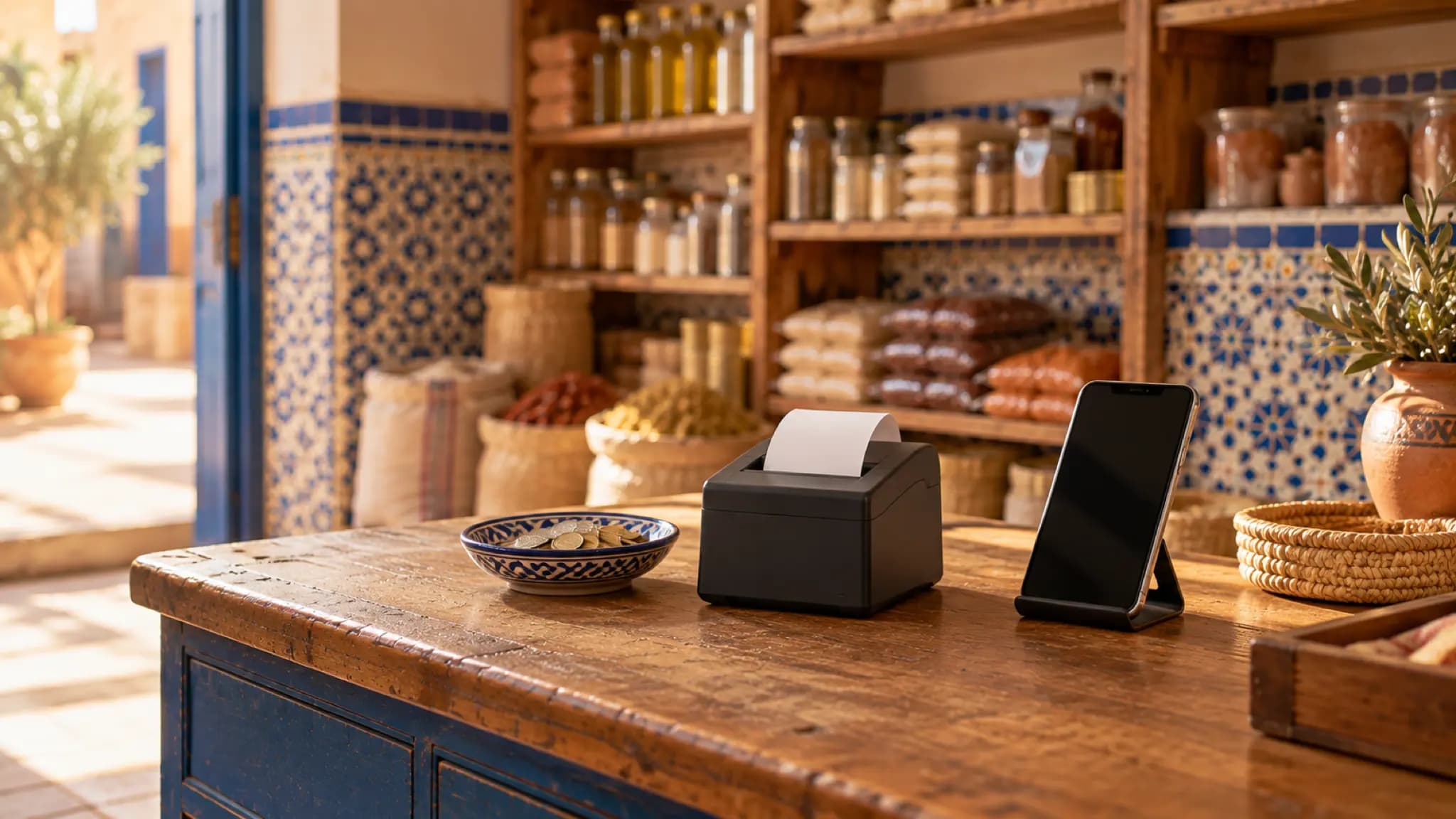
Gestio works as a till on an Android phone or an iPhone: scan, take payment, print the ticket. Each sale reduces stock and, if the customer pays later, is added to their balance.
More than a cash register
What the till must do, and what it usually forgets
Fast checkout
Scan the barcode or search for the product, apply the customer's price or a discount in DH or in %, then take payment in cash, by cheque or by bank transfer.

The printed ticket
A ticket on a 58 or 80 mm Bluetooth thermal printer, or a numbered A4 invoice when the customer asks for one.
A counted till
Open the till in the morning, count it in the evening: the difference is recorded with its reason. Each employee has their cash hand-ins and a balance that says what they still have to hand in.

Who did what
A cashier only sees what you open to them. The activity log keeps who changed a price or deleted a sale, and when.
For teams
Your team does the work, you stay in control
Every employee has their own account. You see what they do, what they collect and how close they are to their targets — from your phone or your computer.
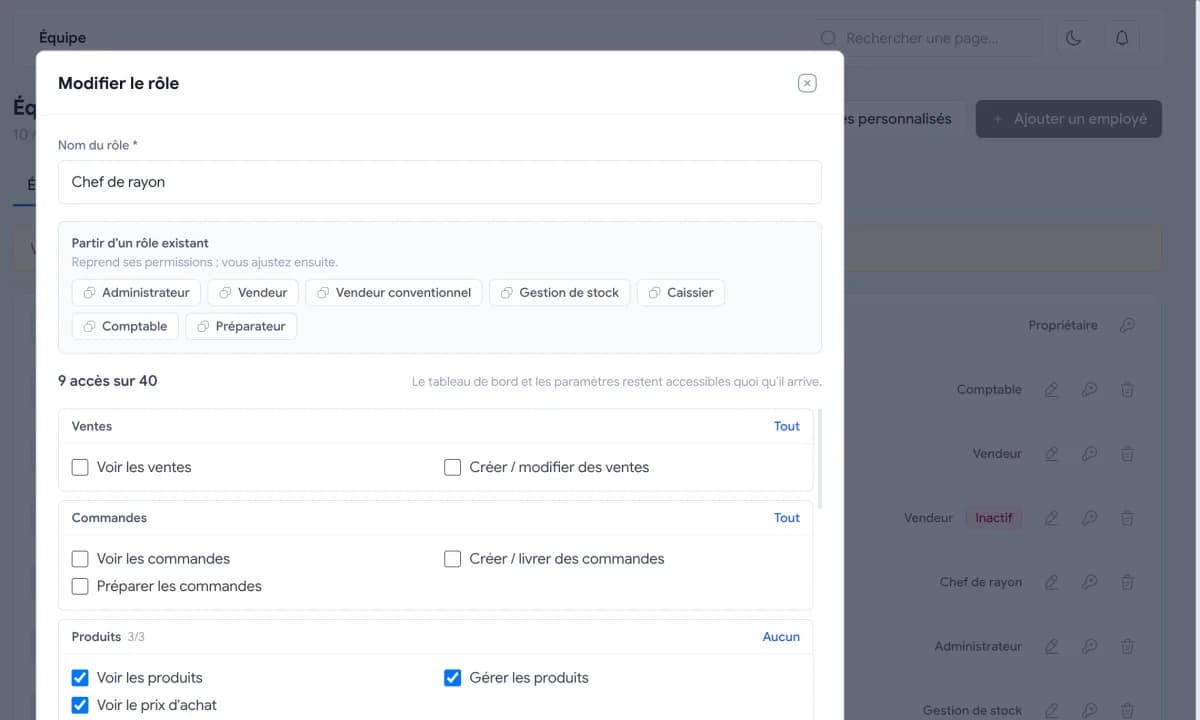

Roles and permissions
Salesperson, cashier, storekeeper, accountant, or a custom role. Each person sees only what the job needs: a storekeeper sees neither selling prices nor margins.
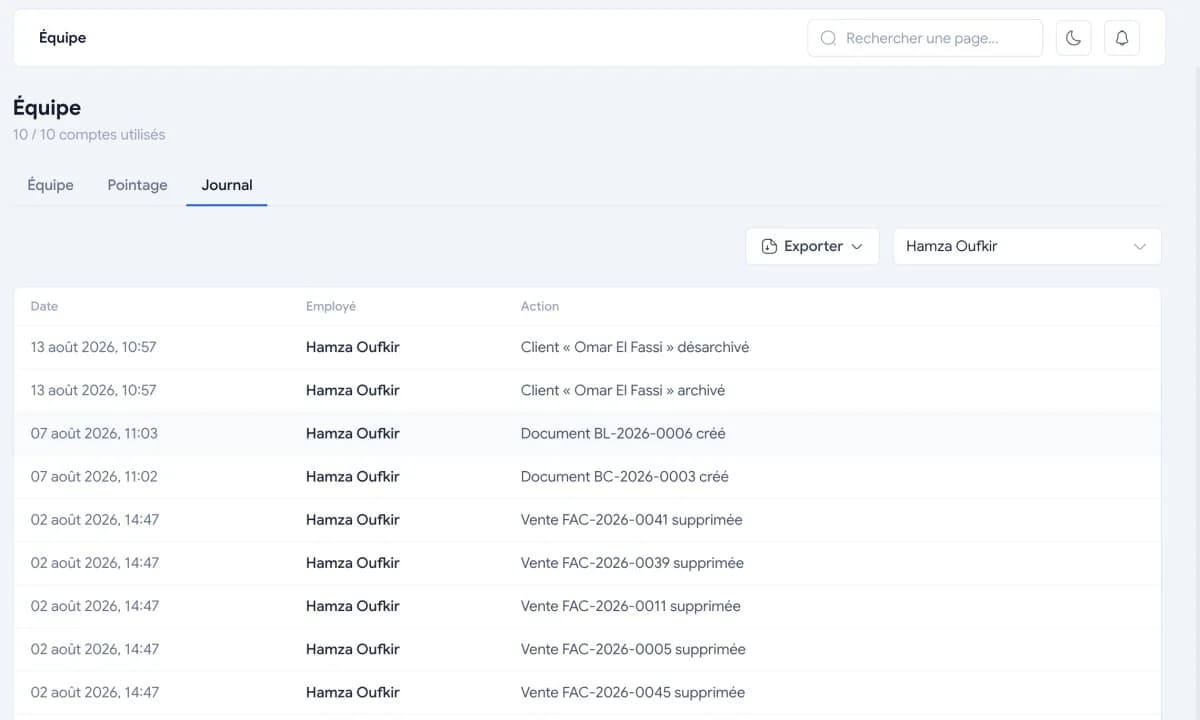

Activity log per employee
Sale created, product edited, payment recorded: every action is kept with who did it and when. Only the manager can see the log.
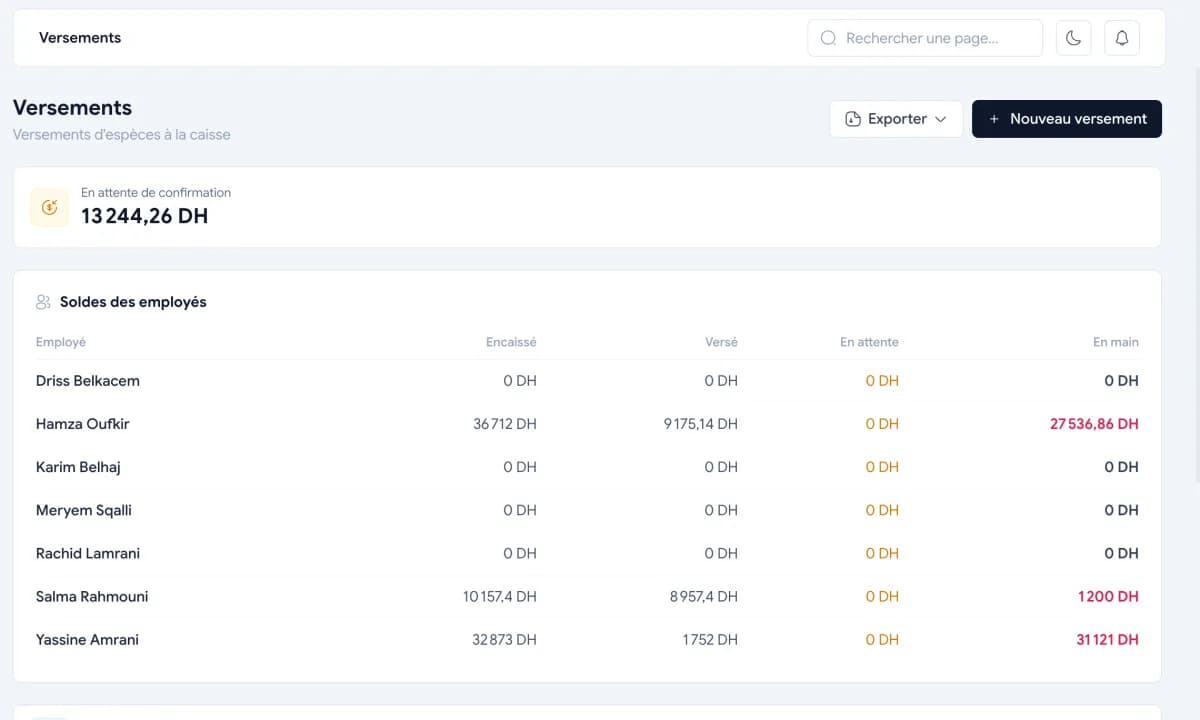

Cash hand-ins and balance per employee
What each salesperson collected and what they handed in are both recorded. Their balance tells you what they still owe the till.
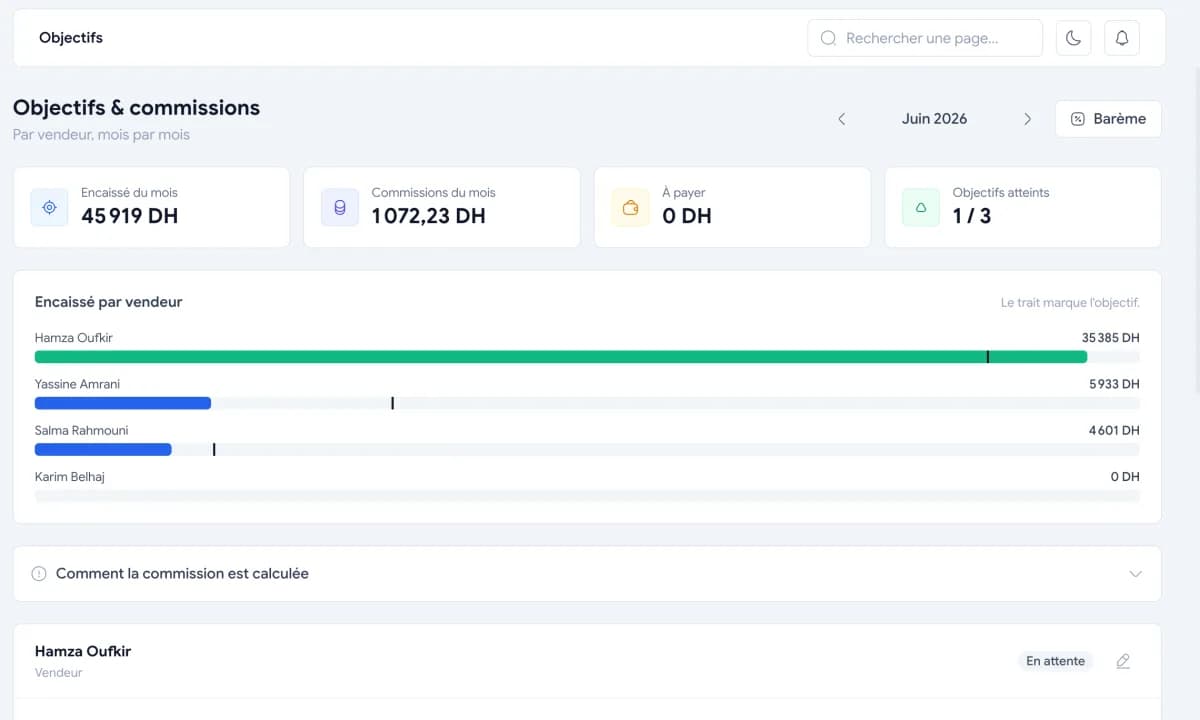

Targets per salesperson
Set a target for each salesperson and follow their progress, without waiting for the end of the month to find out.
Pricing
One price a year, not a month
Solo for the shopkeeper working alone, Entreprise for a team of up to 15 people. 7-day free trial, full access.
Solo
One shop, one account
1 490 DHper year
Business
3 accounts included, then 500 DH per account per year
3 900 DHper year
Payment by bank transfer or cash deposit. Activation on WhatsApp.
See pricingFAQ
Questions about the till
Do I need to buy a cash register?
No. Gestio runs on an Android phone or an iPhone, and in your computer's browser. For tickets, a 58 or 80 mm Bluetooth thermal printer is enough.
Can I scan barcodes?
Yes, from the mobile app at the counter: the scanned product is added to the sale. The same product can be sold by the unit or by the case of 12, and stock follows both.
What if the customer pays later?
The sale is added to their balance. You set a credit limit per customer, send them their statement and follow up on WhatsApp from their record.
Does it work without the internet?
No. Gestio keeps your data on a server, which lets the cashier and the manager see the same figures at the same moment. An ordinary 4G connection is more than enough.
How much does Gestio cost?
Solo costs 1 490 DH a year for a shopkeeper working alone; Entreprise 3 900 DH a year with 3 accounts. No monthly subscription: payment by bank transfer or deposit, after a 7-day free trial.
Try Gestio at your counter
A demo with your products and your printer: we show you the sale, the ticket and the evening count.
Book a demo